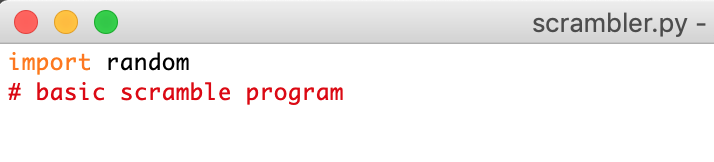
I spent some time the past few days playing about with the idea of making a bit of code that takes an input string of readable text and outputs a scrambled string that is unreadable.
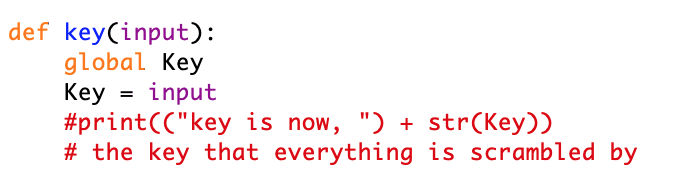
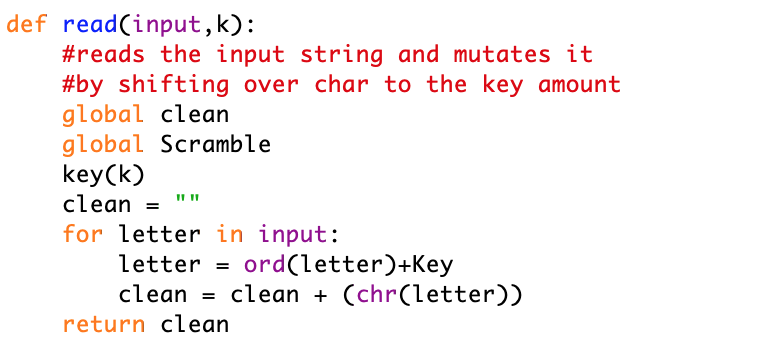
Scrambler.py seemed a fitting name for this useless little predictable function. Only 3 functions make up the program; Key, Scramble and Read. Key is a function that when called simply allows you to set the key by which the text is scrambled, instead of letting the program give you a random key. Well this was left in from when i was setting the key manually, I don’t think it’ll work now as when the scramble function is called, it’s randomises the key int. Scramble is the main function, it takes the input string and reads each letter in with a for loop , this then takes the letter and finds the int value of that letter, it them subtracts the value of the key int form the letter value, converts that value back into a chr and concatenates it to the Scramble string. After all that, it returns the key number with print, checks if you want to show the string or not (this is useful for large strings and text bodies) and ends the program. The Scrambled text is then usable by printing the string attached to “Scramble”.The read function is the last bit of code in the program. This function takes the input string and the value of the key, runs the scramble function in reverse and saves the string to “clean”. Its important that you have the key value, otherwise it will not be able to find the correct chr value again to make the text readable.
I’m not going to bother giving you the source for this program as it is so small and useless, it’s been more of a thought experiment for me.
So version 1 of my Tic Tac Toe game is done, with only a few minor things missing. The main things missing – – intelligent NPC play – NPC vs NPC play – two player play – better display in cmd – if possible, graphical display
These are things I want to achieve for the next iteration. Currently this is what the program looks like…
Currently the program runs with the standard run() function call.. First the program asks you what piece you want to playOnce you’ve chosen, it displays the board format to you and ask who’s going first, ( yes, no, flip). If you choose this option, the program prompts you to pick Heads or Tails, flips a coin and then compares it to your choice. (for the people who don’t like to make decisions)In this example the computer won the coin toss and began the game, the rest of the game plays out the same as every other tic tac toe game. The only other notable pieces of coding are. . . – if player goes first, the computer shows [ 1 , 2 , 3 ] [ 4 , 5 , 6 ] [ 7 , 8 , 9 ] to give the player an idea of what the board layout is before they start playing. – if the gameboard fills up, the game is ended with a print message ” nobody won “
That’s it, now for the coding (this is more documenting for me, than you)…
## This is the first function defined in the code, a simple flip coin function.
## When called it gets either 0 or 1 randomly
## It then matches it up to "Heads" or "Tails" and returns the result

def flip():
    #flipping a coin to decide who goes first
    result = random.randrange(2)
    if result == 0:
        return "Tails"
    else:
        return "Heads"
## The next function is my WinCheck Function.
## This is where it gets a little funky with functioning code.
## This piece of code basically checks each position on the board with ## if statements to see if the given "type" input is in place in any of ## the winning patterns.
## I had to wrench this in late on and couldn't wrap my head around a
## simpler way of performing the same task.

## There is a layer of unused code in here from when i was debugging,
## it's obviously commented out lines.


def wincheck(type):
    if gb[0][0] == type and gb[0][1] == type and gb[0][2] == type:
        #print (type + " won the game")
        return True
    else:
        if gb[1][0] == type and gb[1][1] == type and gb[1][2] == type:
            #print (type + " won the game")
            return True
        else:
            if gb[2][0] == type and gb[2][1] == type and gb[2][2]==type:
                #print (type + " won the game")
                return True
            else:
                if gb[0][0]==type and gb[1][0]==type and gb[2][0]==type:
                    #print (type + " won the game")
                    return True
                else:
                    if gb[0][1]==type and gb[1][1]==type and gb[2][1]== type:
                        #print (type + " won the game")
                        return True
                    else:
                        if gb[0][2]==type and gb[1][2]==type and gb[2][2]==type:
                            #print (type + " won the game")
                            return True
                        else:
                            #print ("no win")
                            return False
## This is the base building function, it basically prints the rows of ## the current version of the game board.
## Coupled in with this function is how the game checks the board to see ## if anyone has won via the WinCheck function.
## This seemed like a good way of doing it as when printing the board to ##screen worked out to be a good time to check the board.
## Again, i'm not sure this is the best way of doing it, but it works
## well.

def base():
    global gb
    global running
    for row in gb:
        print (row)
    if wincheck("X") or wincheck("O"):
        print ("\n\nTheres A Winner!")
        running = False
## This function when called runs through the function, asking the
## player who they want to go first in the game.
## It gives three options ( yes, no, flip ).
## On yes or no, this basically returns true or false for the outer
## function to use.
## As mentioned the flip coin function is called and resolved now.

def whoGoesFirst():

    while True:
        choice = input("Do you want to go first? : yes, no, flip : ")
        if choice == "yes" or choice == "no" or choice == "flip":
            if choice == "yes":
                return True
            else:
                if choice == "no":
                    return False
                else:
                    if choice == "flip":
                        flipChoice = input("Heads or Tails? : ")
                        coin = flip()
                        if flipChoice == coin:
                            ##player wins and goes first
                            print ("you won the coin flip \n")
                            return True
                        else:
                            ##player looses and goes second
                            print ("you lost the coin flip \n")
                            return False

        else:
            print ("invalid choice, please select correctly")
## This is the function that is called for the player to select what
## piece they want to play as.
## It basically sets the playerPiece and npcPiece depending on the
## input.


def playerSelect():
    global playerPiece
    global npcPiece
    #asks the player which piece they want, and sets it to global playerPiece
    #also sets the npcPiece to the opposite
    while True:
        playerPiece = input("please select a piece, X/O : ")
        if playerPiece == "X" or playerPiece == "O":
            print ("you have chosen : " + playerPiece)
            if playerPiece == "X":
                npcPiece = "O"
            else:
                npcPiece = "X"
            break
        print ("invalid selection")
## This is the plot move function, it basically changes the number in
## game board list that refers to each position.
## it asks for a position input and the type of piece that is making
## that move.
## I'm really proud of this little function, it took a lot to think
## about how i could make it in such a way that both the computer and
## the player can call it.
## The final thing it does is display the newly update game board.

def plotmove(input,type):
    while True:
        if input <= 3:
            #row 1
            gb[0][input-1] = type
        else:
            if input > 3 and input <= 6:
                #row 2
                gb[1][input-4] = type

            else:
                if input > 6 and input <= 9:
                    #row 3
                    gb[2][input-7] = type
        base()
        return
## Surprisingly this was the most annoying function to come up with.
## When called it basically checks through the game board list for the ## input, if the function finds the input in the list, it returns True.
## I found it so hard to get my head around how the for and if
## statements work together.


def usedbefore(input):
    for number in numcheck:
        if input == number:
            return True
    return False
## Finally this is the run function that you call as a user.
## It in turn calls each function whilst captioned in a infinite True
## while loop flipping back and forth between npc and player play.

def run():

    #main run function and loop that starts the game.
    global numcheck
    global playerPiece
    global npcPiece
    global gb
    global turn
    global running
    running = True
    print ("Welcome to tic tac toe (V1) \n")
    playerSelect()
    base()
    if whoGoesFirst():
        print ("Player Goes First \n")
        turn = "player"
        print ("[1,2,3]")
        print ("[4,5,6]")
        print ("[7,8,9]")

    else:
        print ("NPC Goes First \n")
        turn = "NPC"


    while running == True:
        if (len(numcheck)) == 9:
            print("the game is a draw")
            break
        print ("\n")
        if turn == "player":
            #player plays
            while True:
                go = input("Take your turn 1 - 9 : ")
                if not usedbefore(int(go)):
                    numcheck.append(int(go))
                    plotmove(int(go),playerPiece)
                    turn = "npc"
                    break
                print("you've plotted there already")
        else:
            time.sleep(2)
            while True:
                plotter = random.randrange(1,10)
                if not usedbefore(int(plotter)):
                    numcheck.append(plotter)
                    break
            plotmove(int(plotter),npcPiece)
            print ("NPC went\n")
            turn = "player"

            #npc plays


    print ("\n\nCoded by Ash Marshall 31/03/2019")
    #setting everything back to defult
    playerPiece = ""
    npcPiece = ""
    numcheck = []
    gb = [[0,0,0],[0,0,0],[0,0,0]]
    turn = ""
[0, 0, 0] [0, 0, 0] [0, 0, 0] For the last couple of days i’ve been playing around with making a basic game and settled on trying to make tic tac toe. The idea being that i’ll set out with an idea and document the progress as I go along, figuring out the roadblocks I come across.
I started off strong, and got all the basic board drawing tools and other helper tools in place.
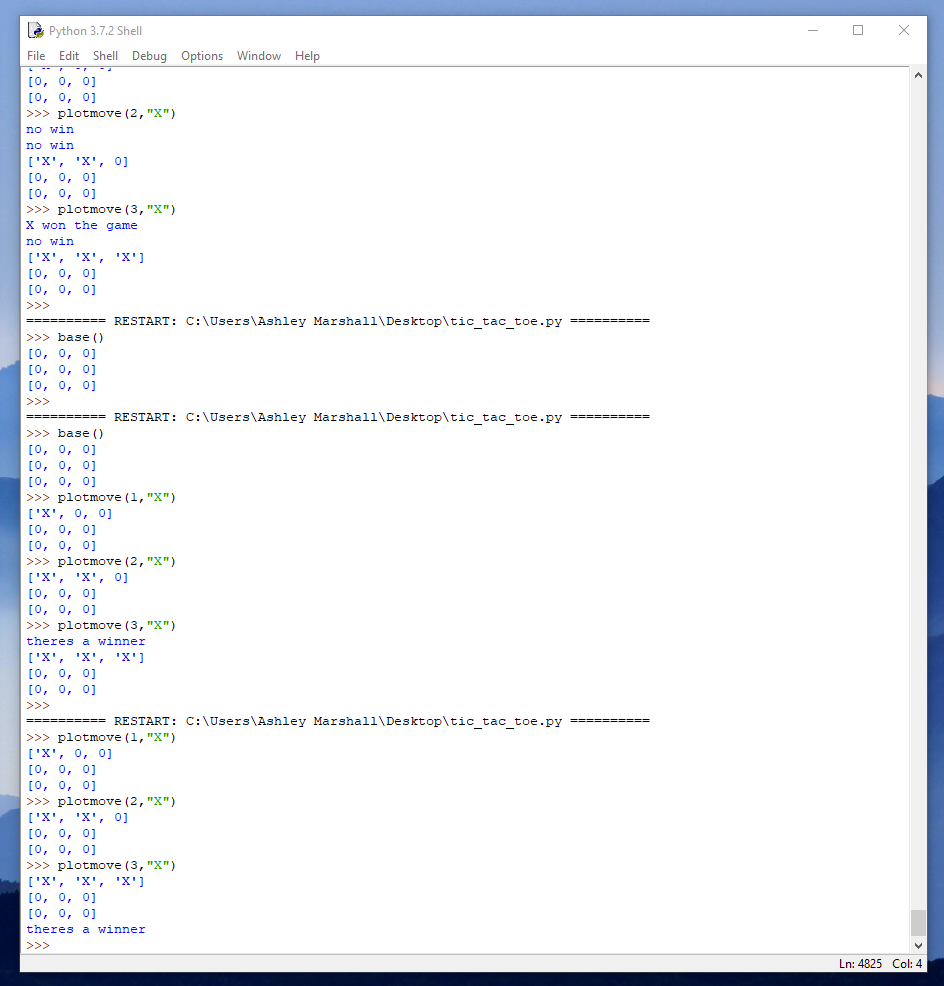
The first problem that i’ve come across is the getting the program to scan the lines to check if there is a winner. This has to obviously be a function that is defined so it can be checked multiple times whilst in the running game loop. From what i can see, this is a problem stemming from the way I initially set the board ( using a function that takes a list of 9 inputs and converts the numerical value 0-2 into a “X” or a “O” in the place of that input on the board. After watching a few other people solution to this problem, I can now see that its better to store the board in lists with separate lists within to hold the row data. This method makes it easier when you come to access the data.
gb = [[0,0,0],[0,0,0],[0,0,0]]
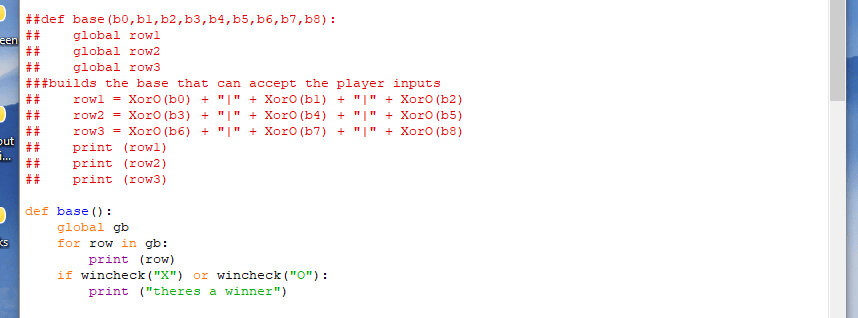
Here is the before and after for the base function this draws the current board to the screen when called and then checks if anyone has won.
I’ve also gotten a little far ahead of myself, I’ve added lots of functions that I thought might be useful. The most interesting is a Coin Flip function.
It literally selects a random number ( 0 – 1 ) and assigns a heads or tails value to it. This is for when the player is selecting who they want to go first, they get three options (player,npc,flip) it will then randomly select who starts. Thought it was a bit of fun.
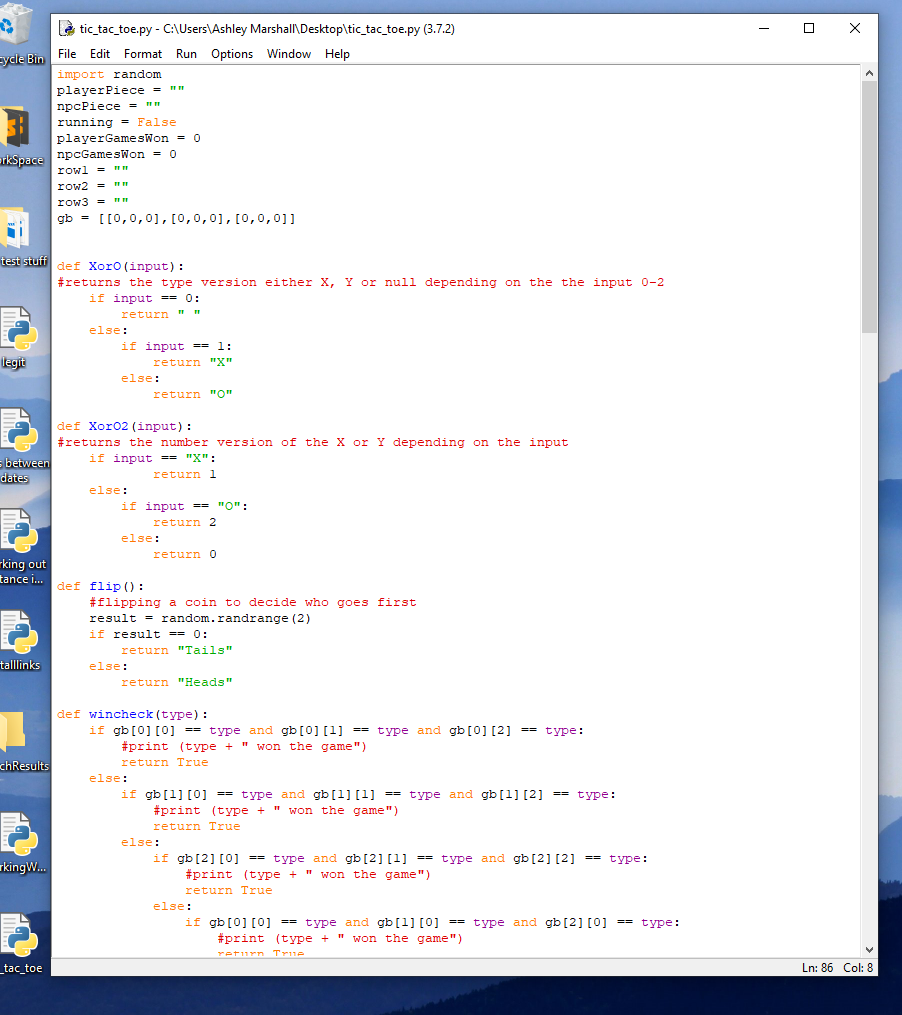
This is as far as i have gotten for now, here is the full code. Its very messy and alot is redundant, I’m still very much a beginner. I get a little mad with nested if statements too.
import random
playerPiece = ""
npcPiece = ""
running = False
playerGamesWon = 0
npcGamesWon = 0
row1 = ""
row2 = ""
row3 = ""
gb = [[0,0,0],[0,0,0],[0,0,0]]


def XorO(input):
#returns the type version either X, Y or null depending on the the input 0-2
    if input == 0:
        return " "
    else:
        if input == 1:
            return "X"
        else:
            return "O"

def XorO2(input):
#returns the number version of the X or Y depending on the input
    if input == "X":
            return 1
    else:
        if input == "O":
            return 2
        else:
            return 0

def flip():
    #flipping a coin to decide who goes first
    result = random.randrange(2)
    if result == 0:
        return "Tails"
    else:
        return "Heads"

def wincheck(type):
    if gb[0][0] == type and gb[0][1] == type and gb[0][2] == type:
        #print (type + " won the game")
        return True
    else:
        if gb[1][0] == type and gb[1][1] == type and gb[1][2] == type:
            #print (type + " won the game")
            return True
        else:
            if gb[2][0] == type and gb[2][1] == type and gb[2][2] == type:
                #print (type + " won the game")
                return True
            else:
                if gb[0][0] == type and gb[1][0] == type and gb[2][0] == type:
                    #print (type + " won the game")
                    return True
                else:
                    if gb[0][1] == type and gb[1][1] == type and gb[2][1] == type:
                        #print (type + " won the game")
                        return True
                    else:
                        if gb[0][2] == type and gb[1][2] == type and gb[2][2] == type:
                            #print (type + " won the game")
                            return True
                        else:
                            #print ("no win")
                            return False

##def base(b0,b1,b2,b3,b4,b5,b6,b7,b8):
##    global row1
##    global row2
##    global row3
###builds the base that can accept the player inputs
##    row1 = XorO(b0) + "|" + XorO(b1) + "|" + XorO(b2)
##    row2 = XorO(b3) + "|" + XorO(b4) + "|" + XorO(b5)
##    row3 = XorO(b6) + "|" + XorO(b7) + "|" + XorO(b8)
##    print (row1)
##    print (row2)
##    print (row3)

def base():
    global gb
    for row in gb:
        print (row)
    if wincheck("X") or wincheck("O"):
        print ("theres a winner")


def player(x,y,type):
#trying to build the X,Y coordinates system to plot numbers in the base input.
    t = XorO2(type)
    print (t)

def score(npc,player):
    playerScore = "you've won : " + player + " games"
    npaScore = "the computer has won : " + npc + " games"
    return playerScore
    return npcScore

def whoGoesFirst():
    #player picking who should go first ( npc, or playing)
    #three option (me, you, flip)
    #flip flips coin
    while True:
        choice = input("who goes first : player, NPC, flip : ")
        if choice == "player" or choice == "NPC" or choice == "flip":
            if choice == "player":
                print ("Player Goes First \n")
                break
            else:
                if choice == "NPC":
                    print ("NPC Goes First \n")
                    break
                else:
                    if choice == "flip":
                        flipChoice = input("Heads or Tails? : ")
                        coin = flip()
                        if flipChoice == coin:
                            ##player wins and goes first
                            print ("you won the coin flip \n")
                            break
                        else:
                            ##player looses and goes second
                            print ("you lost the coin flip \n")
                            break

        else:
            print ("invalid choice, please select correctly")


def playerSelect():
    global playerPiece
    global npcPiece
    #asks the player which piece they want, and sets it to global playerPiece
    #also sets the npcPiece to the opposite
    while True:
        playerPiece = input("please select a piece, X/O : ")
        if playerPiece == "X" or playerPiece == "O":
            print ("you have chosen : " + playerPiece)
            if playerPiece == "X":
                npcPiece = "O"
            else:
                npcPiece = "X"
            break
        print ("invalid selection")

def plotmove(input,type):
    while True:
        if input <= 3:
            #row 1
            gb[0][input-1] = type
        else:
            if input > 3 and input <= 6:
                #row 2
                gb[1][input-4] = type

            else:
                if input > 6 and input <= 9:
                    #row 3
                    gb[2][input-7] = type


        base()
        return

def run():
    ################################# main game loop
    global running
    running = True
    while running:
        print ("Welcome to tic tac toe (V1) \n")
        playerSelect()
        whoGoesFirst()
        base()


        ##End Plate
        running = False
        print ("Coded by Ash Marshall 31/03/2019")

def test():
    sp = []
    tester = str(row1),str(row2),str(row3)

    print (tester.split())
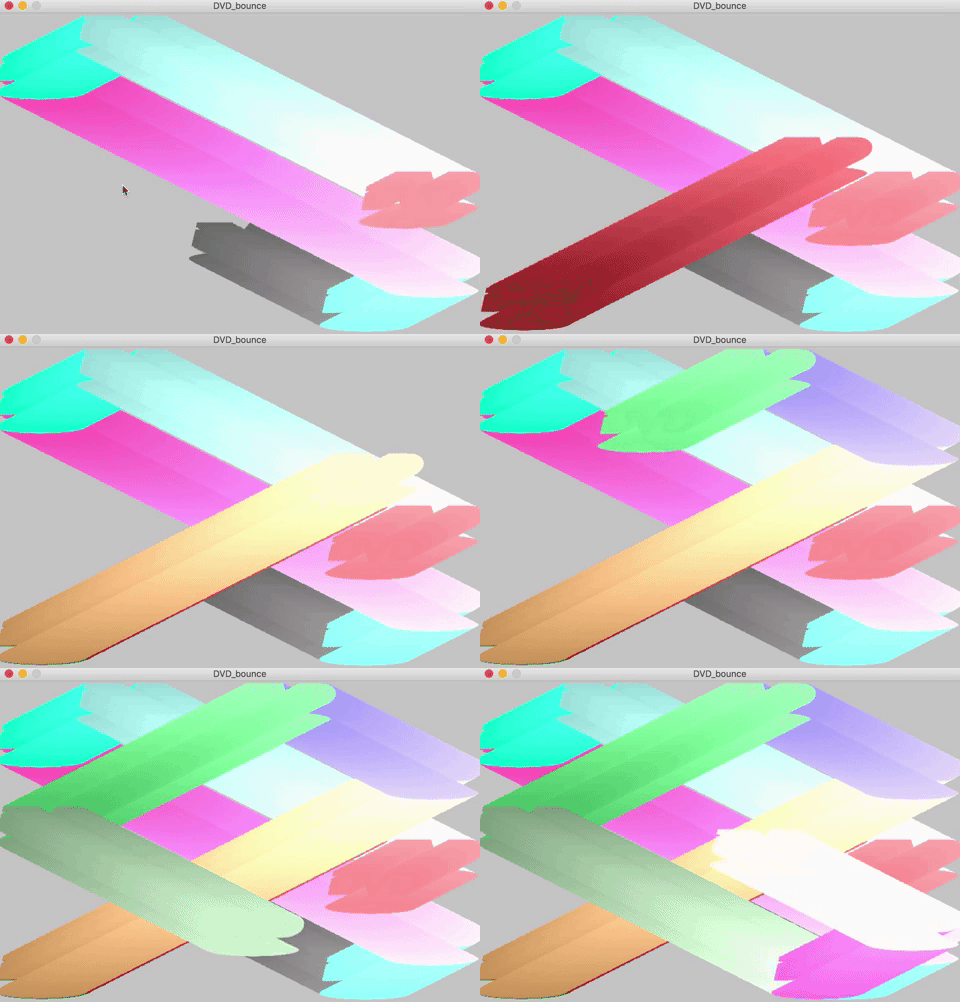
The First properly fun things i’ve made that’s more visual than soul destroying code. It’s not the neatest code i’ve written, I think i’ve overused global in places it’s not needed, but in moving from java to python i’ve missed some key translations. This little program simulates the DVD screen-saver in old dvd systems. You have the ability to draw the background each iteration and have just the dvd symbol once bouncing around. or You can leave the background in the setup definition, this leave a stunning little tail of the symbol as it bounces. I made a few little changes to the color of the symbol so that through the movement the shade changes slightly.
I really like it.
cYspeed = 5
cXspeed = 5
cYspeed = random(1, 3)
cXspeed = random(1, 3)
speed = 20
DVDcolor1 = 20
DVDcolor2 = 20
DVDcolor3 = 20

def setup():
    global img
    global cX
    global cY
    global bg
    bg = loadImage("clam.jpg")
    cX = random(200, width)
    cY = random(200, height)
    size(700, 467)
    img = loadImage("DVD.png")
    smooth()


def draw():
     background(bg)
     global bg
     global DVDcolor1
     global DVDcolor2
     global DVDcolor3
     global img
     global cXspeed
     global cX
     global cYspeed
     global cY
     tint(DVDcolor1+(cX/4), DVDcolor2+(cX/4), DVDcolor3+(cX/4), 255)

image(img, cX - 120, cY - 90, img.width / 5, img.height / 5)

# this starts the animation, using cSpeed for pixles speed
cX = cX + cXspeed
cY = cY + cYspeed

# this sends the ellipse in reverse to the direction its heading when it
# hits a wall
if (cX + 20 >= width or cX - 110 < 0):
    cXspeed = cXspeed * -1
    DVDcolor1 = random(255)
    DVDcolor2 = random(255)
    DVDcolor3 = random(255)
if (cY - 20 >= height or cY - 90 < 0):
    cYspeed = cYspeed * -1
    DVDcolor1 = random(255)
    DVDcolor2 = random(255)
    DVDcolor3 = random(255)

# this resets the program when any key is pressed
if keyPressed:
    setup()
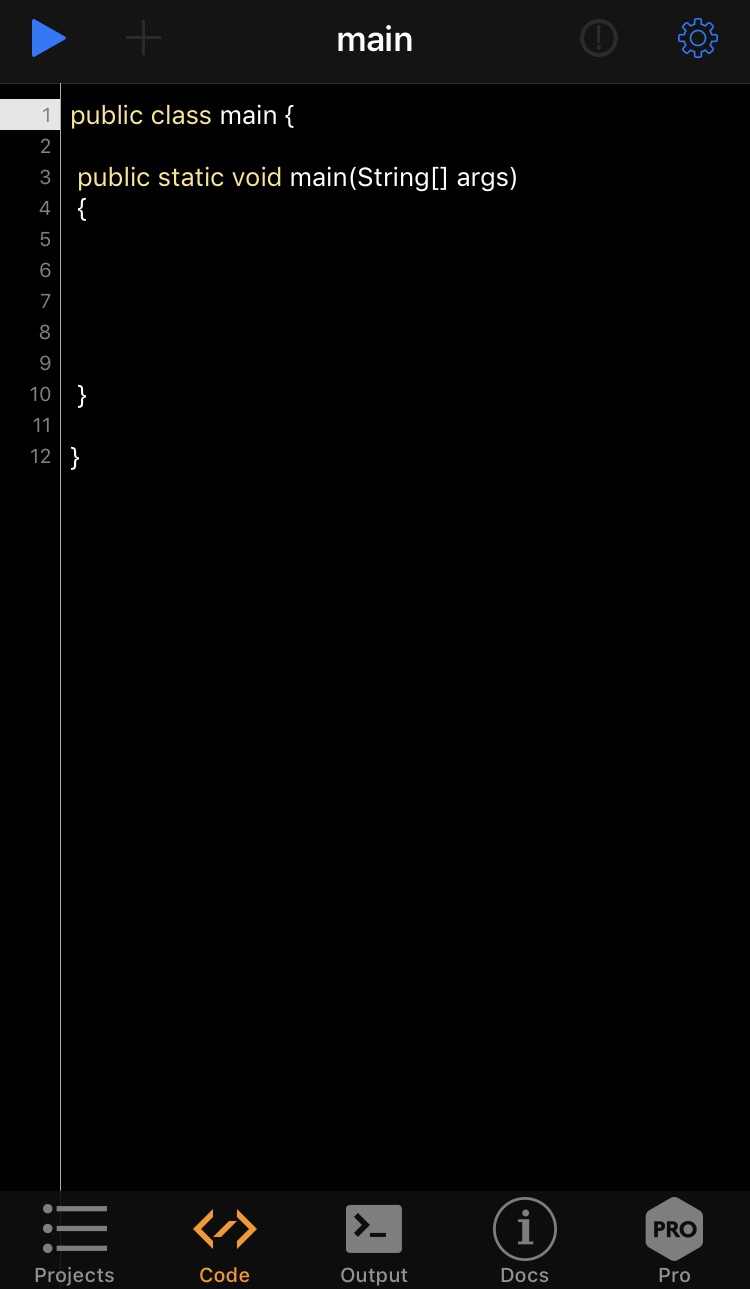
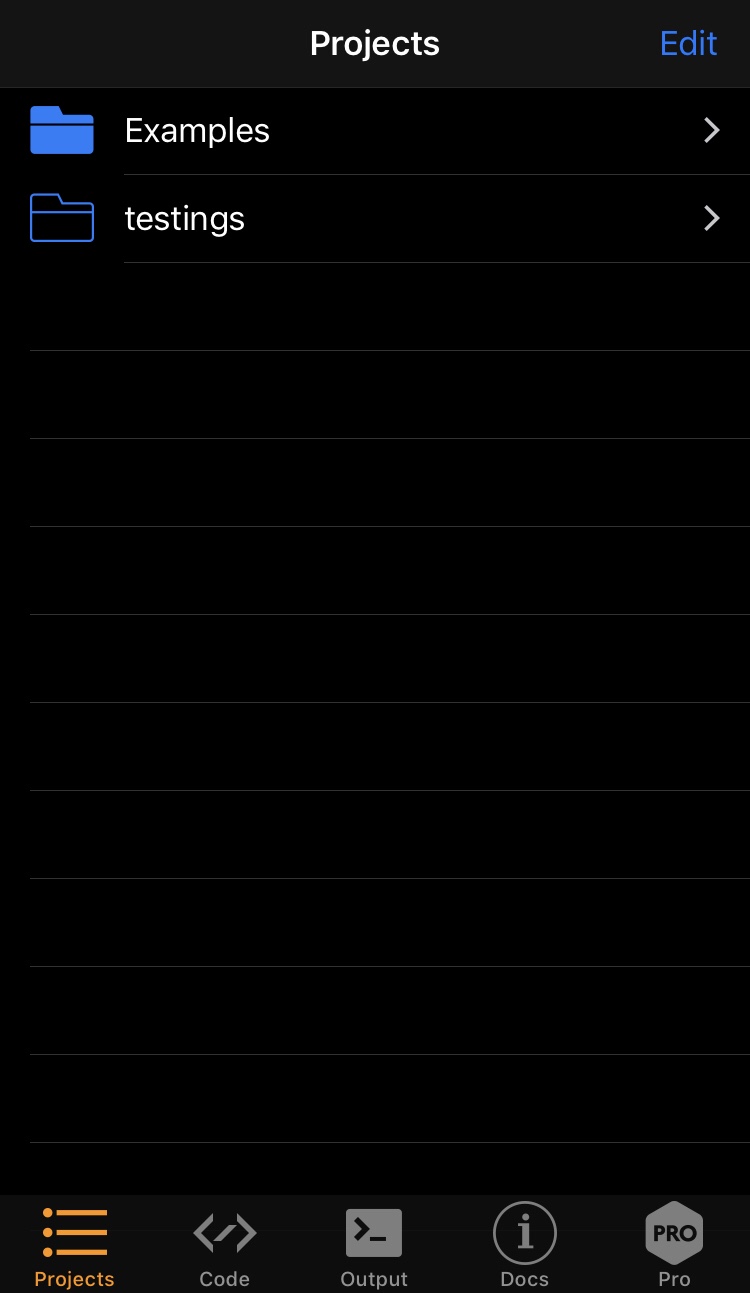
I found this interesting little app on the App Store called Pico compiler, it’s a little cut down IDE built for iso devices.
It seems to be lacking nearly all the quality of life options that are usually included in IDE’s like IntelliJ and Eclipse so using it for anything other than jotting down code notes on the go might make you go insane.
It has a basic output for viewing your system.out text joy but don’t get too excited, it doesn’t support anything heavier than that (JFrames or anything of that nature) you won’t be building any GUI’s with this app.
As far as I can see there isn’t a way to get your code or files out of this app aside from copy and pasting off app into something like google drive.
In summary, I think it’s great what they’ve done here with this app, but there’s opportunity to expand. I’m not sure if it’s down to the developer or apples restrictions the missing features.











 Ash Marshall - Archive